XReader
The ultimate PDF toolkit for Android. View, edit, scan, and convert documents with professional-grade tools in your pocket.
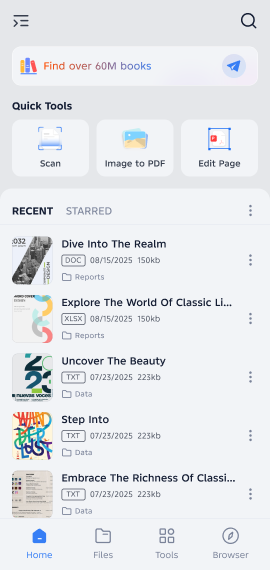
The ultimate PDF toolkit for Android. View, edit, scan, and convert documents with professional-grade tools in your pocket.
Everything you need to work with documents on the go
Open and view PDF, Word, Excel, PowerPoint, and text files seamlessly. Support for the most popular document formats with smooth scrolling and fast rendering.
Lightweight yet powerful editing features. Add text, annotations, highlights, and comments. Fill forms, sign documents, and make quick changes without complex software.
Transform physical documents into digital PDFs instantly. Advanced auto-edge detection, perspective correction, and image enhancement for professional results.
Convert single or multiple images to PDF format. Combine photos into one document, adjust order, and optimize file size for easy sharing.
Optimized engine for quick loading and smooth navigation. Handle large PDF files with hundreds of pages without lag or crashes.
Your documents stay on your device. Password protection for sensitive files, secure storage, and no data sent to external servers.
Explore the intuitive interface and powerful features
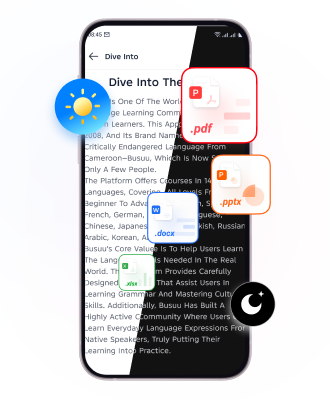
Distraction-free reading experience
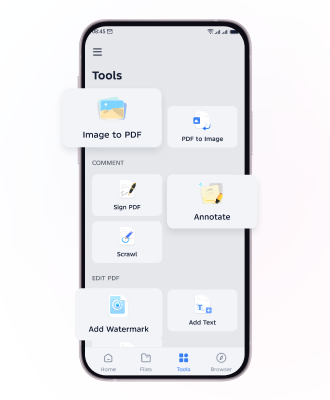
Intuitive editing and annotation
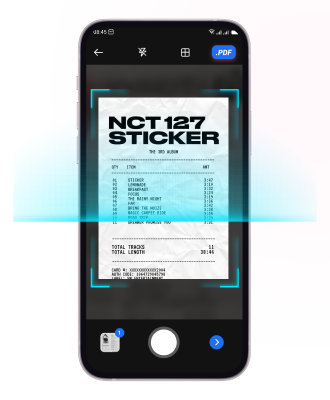
Professional document scanning
Work with all your favorite document formats in one app
Professional tools for power users
Join millions of users who trust XReader for their document needs
🤖 Download on Google Play